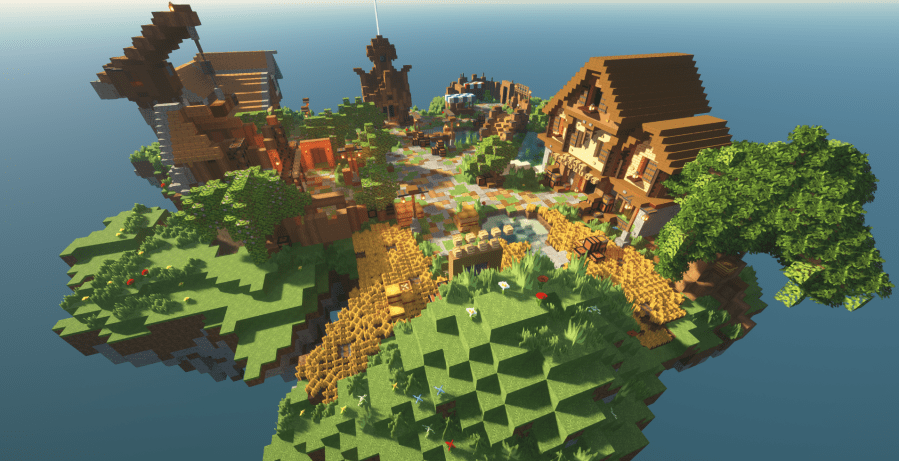
- Getting around LibraryCraft
- News & Announcements
- Survival Claims
- Shops & Trading
- Competition & Flat Creative Plots
Getting around LibraryCraft
The Lobbies
LibraryCraft is made up of three servers, all linked together – Survival, Creative & Minigames. Each server has it’s own Lobby world.

Survival Server
– Survival Lobby (also the main lobby for the server – contains the Warp Ship)
– 1.21 New Survival
– 1.21 Survival
Creative Server
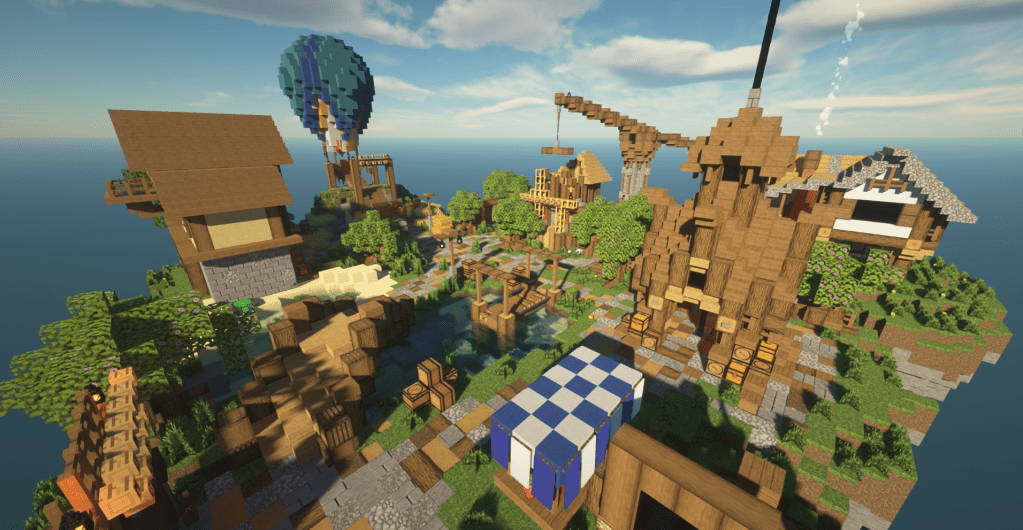
– Creative Lobby
– Flat Creative
– Project Worlds
– Monthly Competitions
– Workshop Worlds

Minigames Server
– Minigames Lobby
– BedWars
– TNT Run
– PVP
– Leaf Spleef
– Parkour
– LibraryCraft League Island

The Warp Ship
Command: /gwarp WarpShip
The Warp Ship is only one of the ways to get around the server. The Warp Ship contains gates to the two Survival worlds, the Minigames Lobby, the Creative Lobby.
Gwarps
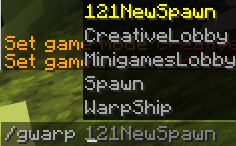
Gwarps are the way to get to the major areas of the whole Network from wherever you are (global warps). There are five shortcuts:
– 121NewSpawn (1.21.5 New Survival Spawn)
– CreativeLobby
– MinigamesLobby
– Spawn (where the rules and commands are)
– WarpShip
To use these, type /gwarp in chat and the list of five will populate.
Pwarps
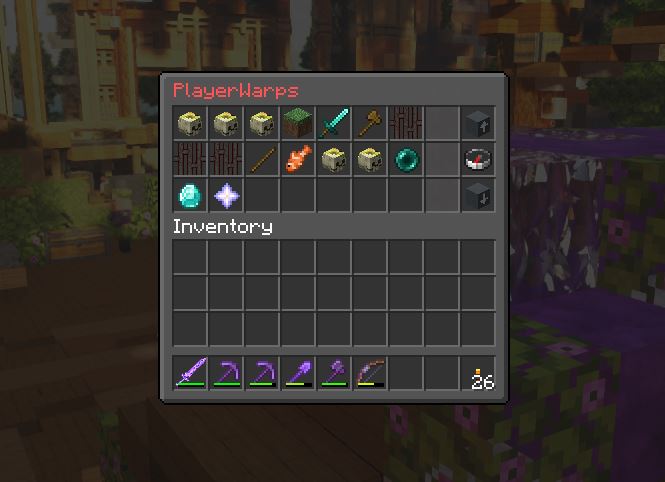
Pwarps allow players to set up to 20 custom private warps across any world in the Network.
Head to a location you’d like to save as a pwarp.
- Once there, enter /pwarps. A user interface will pop up.
- To create a new pwarp where you are standing, click the Nether Star.
- Enter a name and select the nametag on the right hand side. Done!
Once a pwarp is created, there’s a few things you can do with it. These can be changed by right clicking the pwarp.
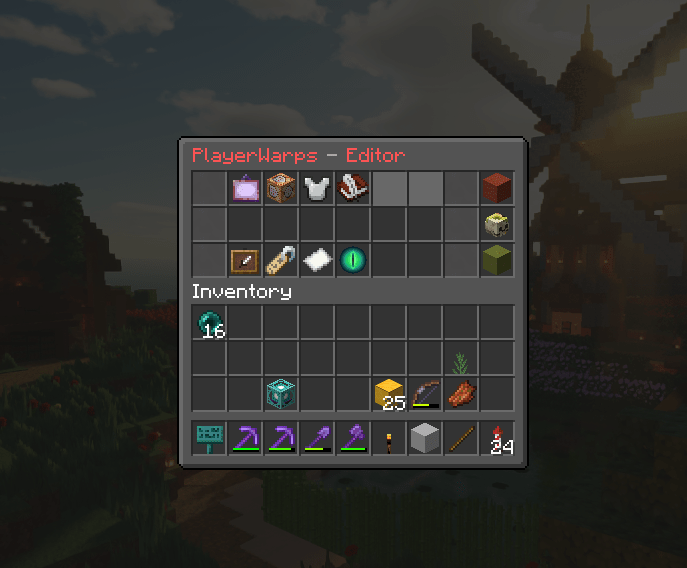
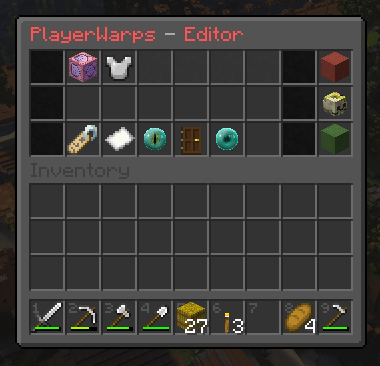
The pwarps editor is split into two sections, visible in the top row – Options & Trusted members.
Options
– Name: An easy way to change the name without changing the location.
– Description: Not working as intended. To be left alone.
– Teleport message: Leave a welcome message in chat when someone uses the warp.
– Status: Can be set to either Private (only you have access) or Public (everyone has access – see below).
– Target position: Stand in a new location and click this to change the location of the pwarp.
Trusted Members
Specific players can be allowed to use your pwarp if you let them. Click the Nether Star and add their username. They must be online to do this.
The Tab List

The tab list is an easy way to see who is on each server, and if they’re /afk. There’s occasionally a slight couple of seconds delay in the tablist updating, but we’re looking into it.
News & Announcements
The Survival server has email, accessible by using /mail read.
Server staff will send emails to all players with important information. When you join a server, a message will appear in chat if you have unread mail messages, if you’re in the Survival server. The command won’t be able to be used in the Creative or Minigames servers.
Survival Claims
You are able to protect your builds on Survival worlds with claims. When you log in to the Survival server for the first time, you’ll be given a book. This book will be a link to a YouTube video explaining it.
You are able to give other players different levels of access to your claims. A list of commands is available on the Survival Lobby. Just follow the path from the Rules board.
Shops & Trading
There are two crucial parts to LibraryCraft’s shops and trading setup, and they work together.
Shopkeepers

Shops use Shopkeepers – custom villagers that trade your items for your prices. Buy a Shopkeeper egg from the villager at the 121NewSpawn Trade Hall for a diamond block. You are limited to ONE shopkeeper per player, so don’t buy more than one egg. No refunds will be given for extra eggs bought.
Instructions will appear in chat when the Shopkeeper egg is held. Each shop has a maximum of 90 different trades. There are three types of shops:
– Selling (items for diamonds)
– Buying (diamonds for items you want)
– Trading (items for items OR diamonds).
As you can only have one shop, the best option is Trading as it can be a combination of all three shop types.
Once placed, shops cannot be moved or shop types changed, so be careful. If you mess it up, you’ll have to buy a new egg and start again.
Player Shops
Players are allowed one (1) shop at their base to sell items. Make it look good! Make use of the /pwarps classes and public setting to get people to your shops. They’ll appear in the list!
Competition & Flat Creative Plots
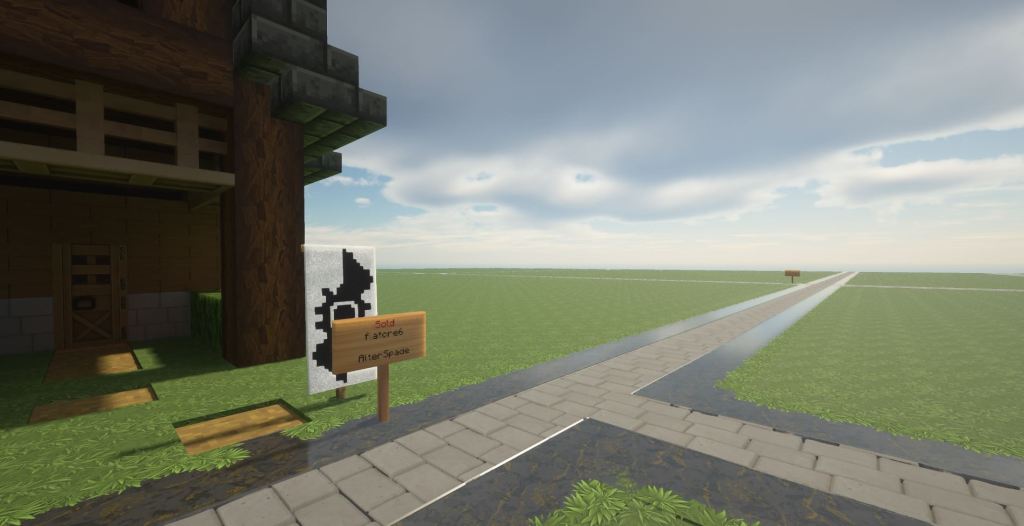
Both located on the Creative Server, Monthly Competition plots & Flat Creative plots are free! There’s no cost to the plots, but you are limited to one only – just right click an available sign to buy it. It’s also much easier now to clear your plot, using the Reset option in /arm gui. Select your plot and reset it, and it’ll wipe it back to a clean grass slate.
 LibraryCraft